
Teachers, students, parents, and admins
A complete classroom for every subject
The Advanced LMS that lives inside every subject.
Each subject opens into its own Advanced LMS — teach it live, record it, plan it, test it, grade it, and track it. Attendance, grades, video lectures, live classes, calendars, assignments, MCQ exams, study materials, a Q&A forum, syllabus, announcements, analytics, and progress are all organised subject by subject, and every one of the four dashboards sees the same subject in the same place.
You mark a register by hand, then re-type the same marks into reports, and parents still say they were never told.
That's hours every week you will never get back — and the complaints keep coming anyway.
On Edu Matrix Hub you mark attendance and post grades once; students, parents, and admin see it instantly, and your MCQ exams grade themselves. It's 100% free for teachers.
 Open
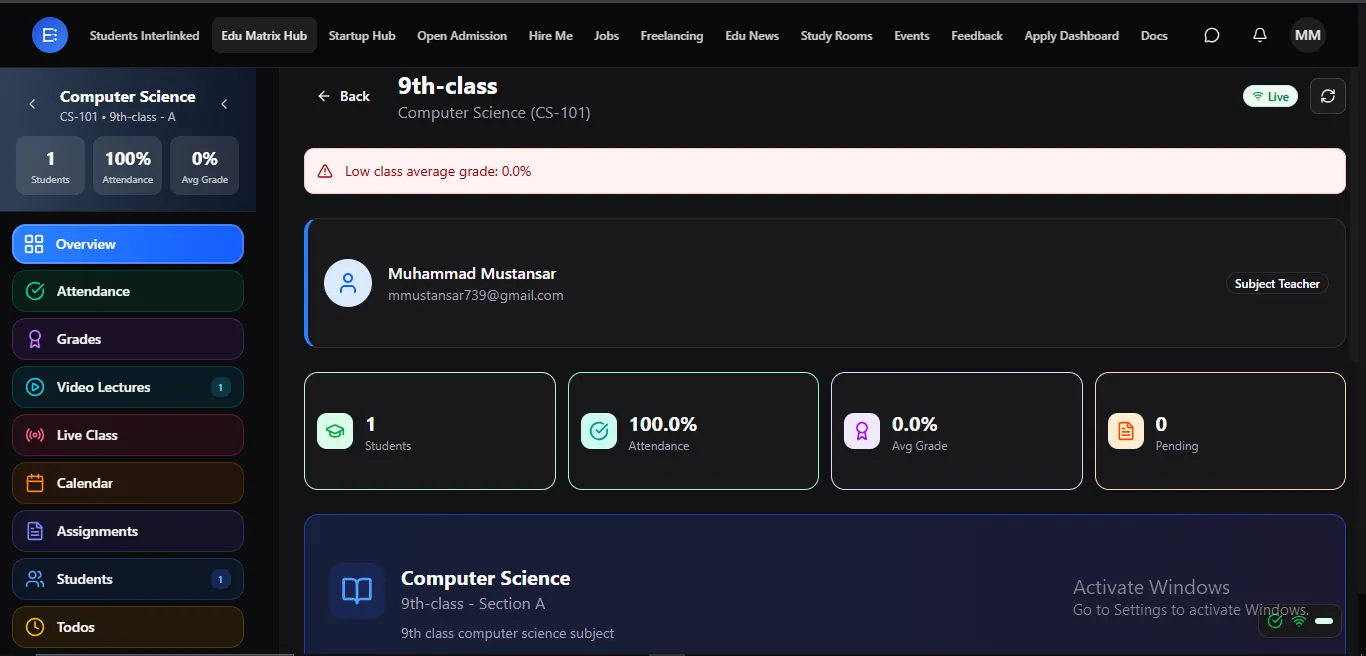
OpenA complete classroom for every subject.
Every subject opens into its own full learning space — lectures, lessons, assignments, exams, grades, and discussion, all in one view. Teach it, learn it, and track it without switching tools.
 Open
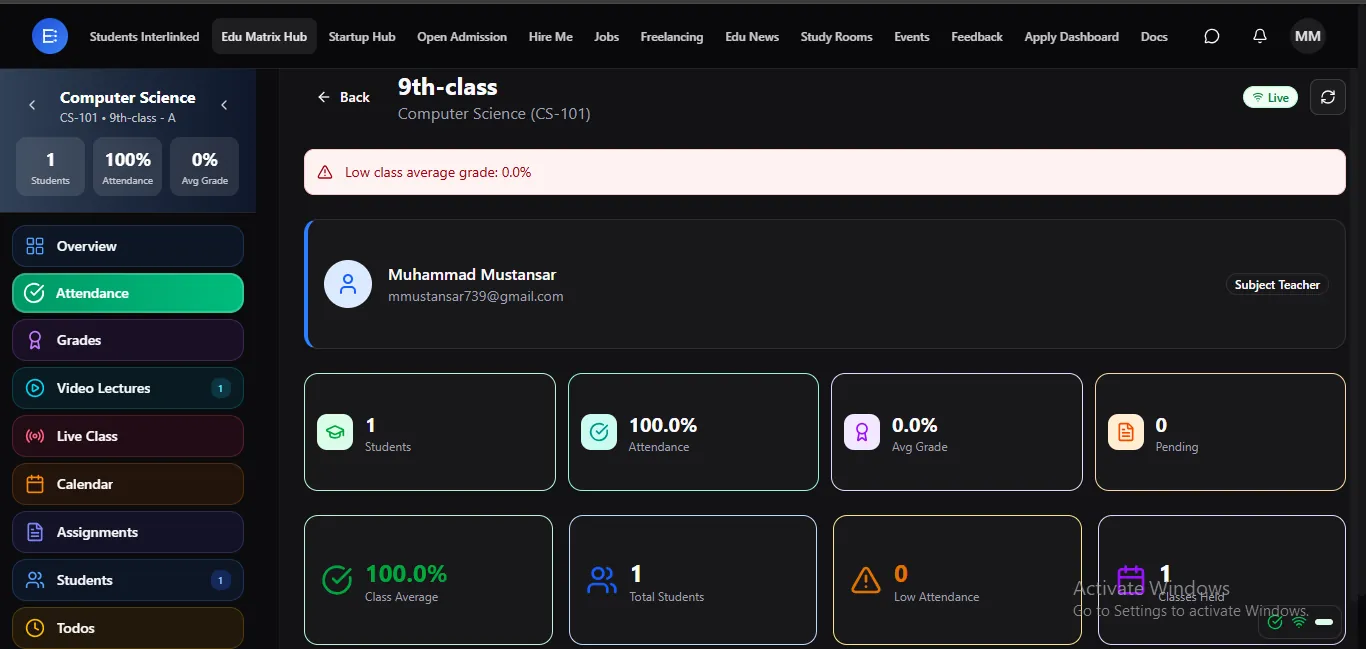
OpenMark attendance once — students, parents, and admin all see it.
Take attendance for a subject in seconds and it updates everywhere instantly — the student's record, the parent's dashboard, and the school's reports. No double entry, no paper register.
 Open
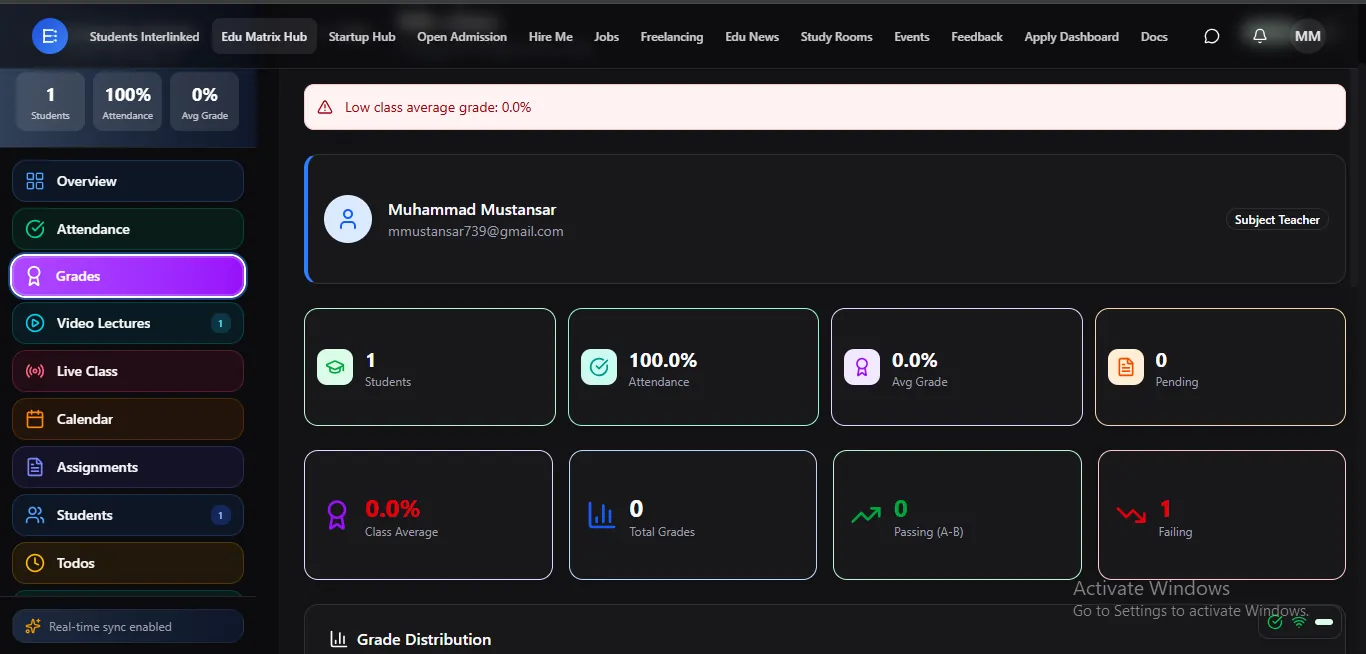
OpenPost a grade and it's live to students and parents at once.
One online gradebook per subject — the moment a teacher enters a mark, the student and their parents see it. No waiting for report cards, no manual sharing.
 Open
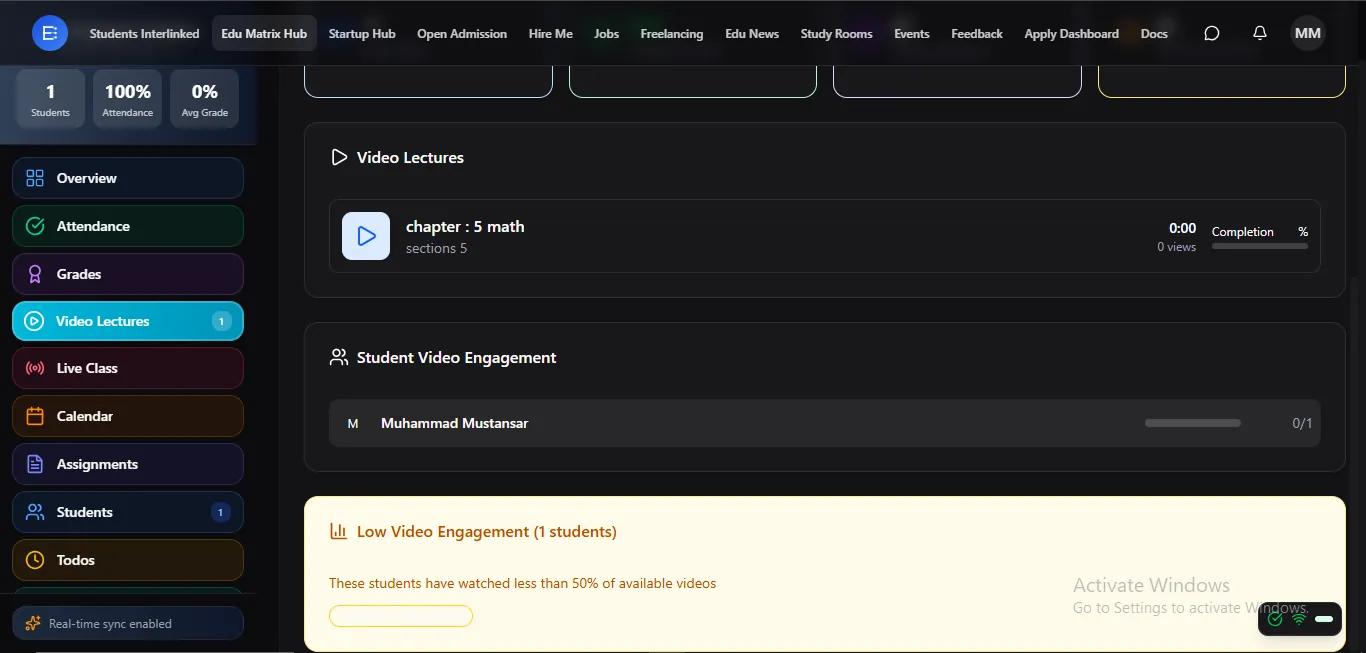
OpenRecorded lectures students can watch anytime.
Upload lessons students can replay whenever they need — with watch-progress so you can see who's actually studied. Learning continues long after class ends.
 Open
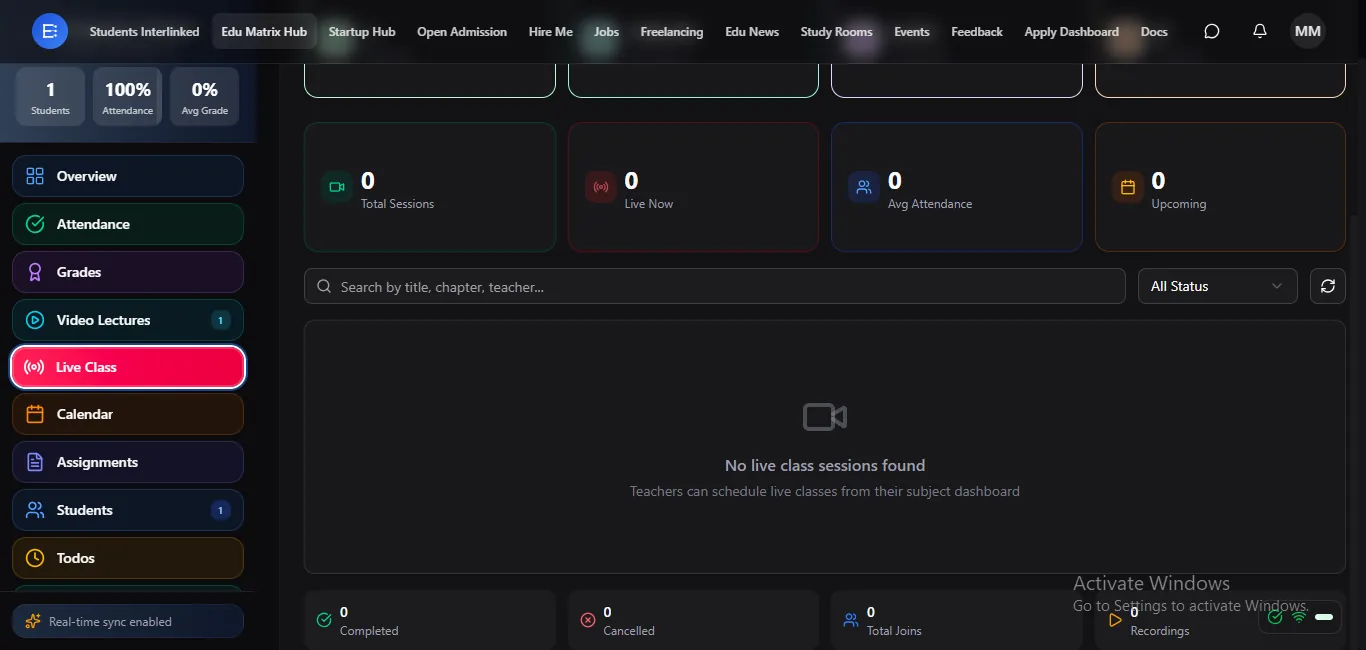
OpenTeach and join live online classes — no extra app.
Run real-time online classes right inside the platform — no separate meeting app to install or links to manage. Students just tap and join.
 Open
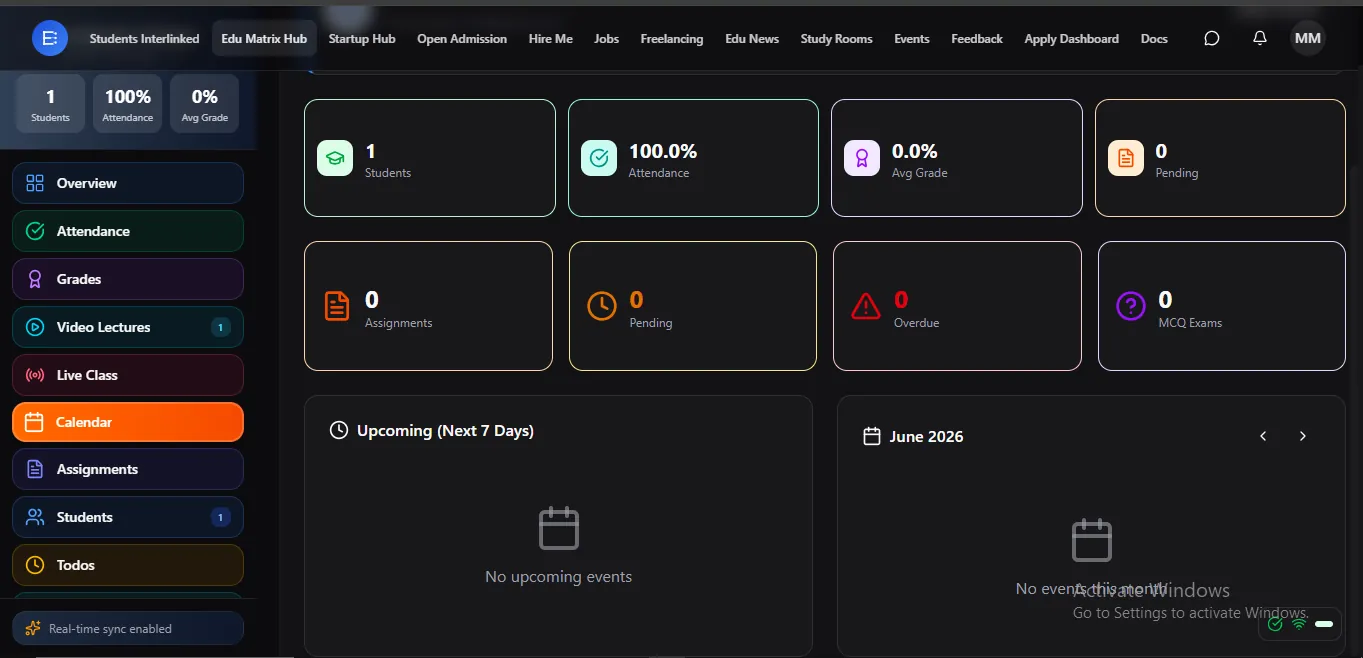
OpenA clear calendar for classes, deadlines, and events.
Every subject has its own calendar so students and parents always know what's coming — class times, due dates, and exams in one view. Nothing sneaks up on anyone.
 Open
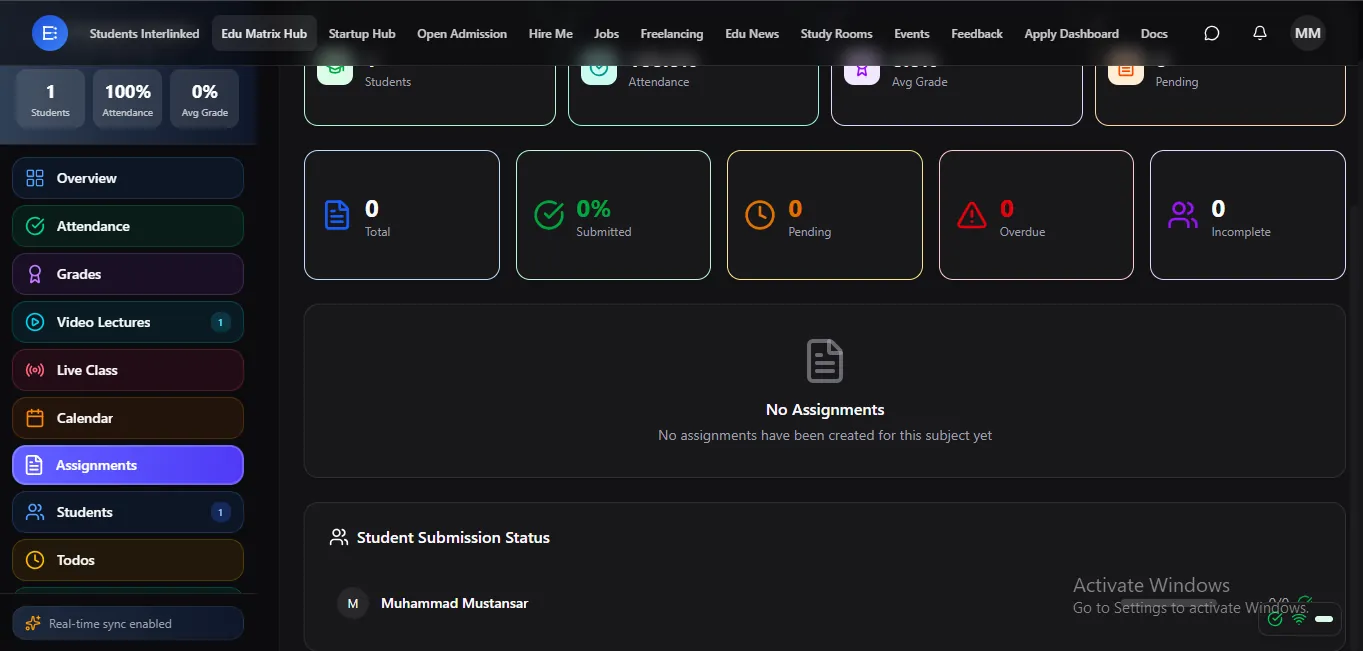
OpenSet, submit, and grade assignments with deadlines.
Teachers post assignments with due dates, students submit online, and grading happens in the same place. Homework stops getting lost between notebook and desk.
 Open
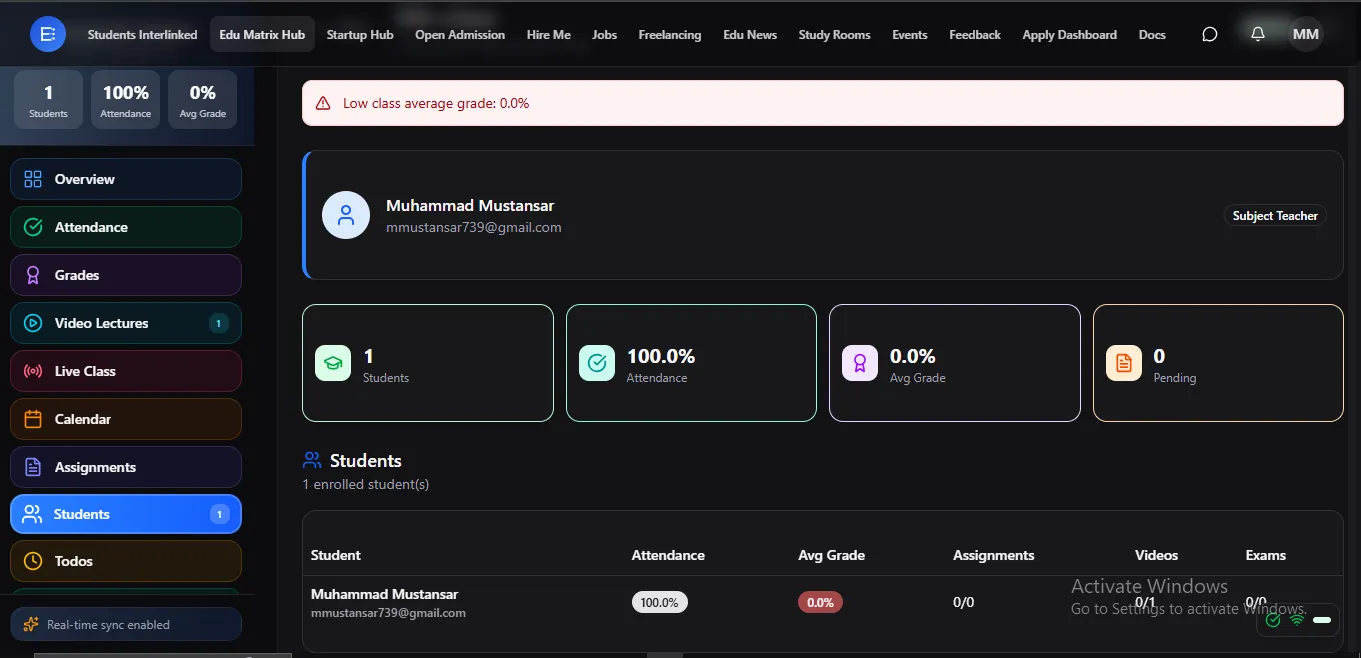
OpenSee the full class roster for every subject.
Know exactly who's enrolled in each subject at a glance. The class list is always current as students join or leave — no manual updates.
 Open
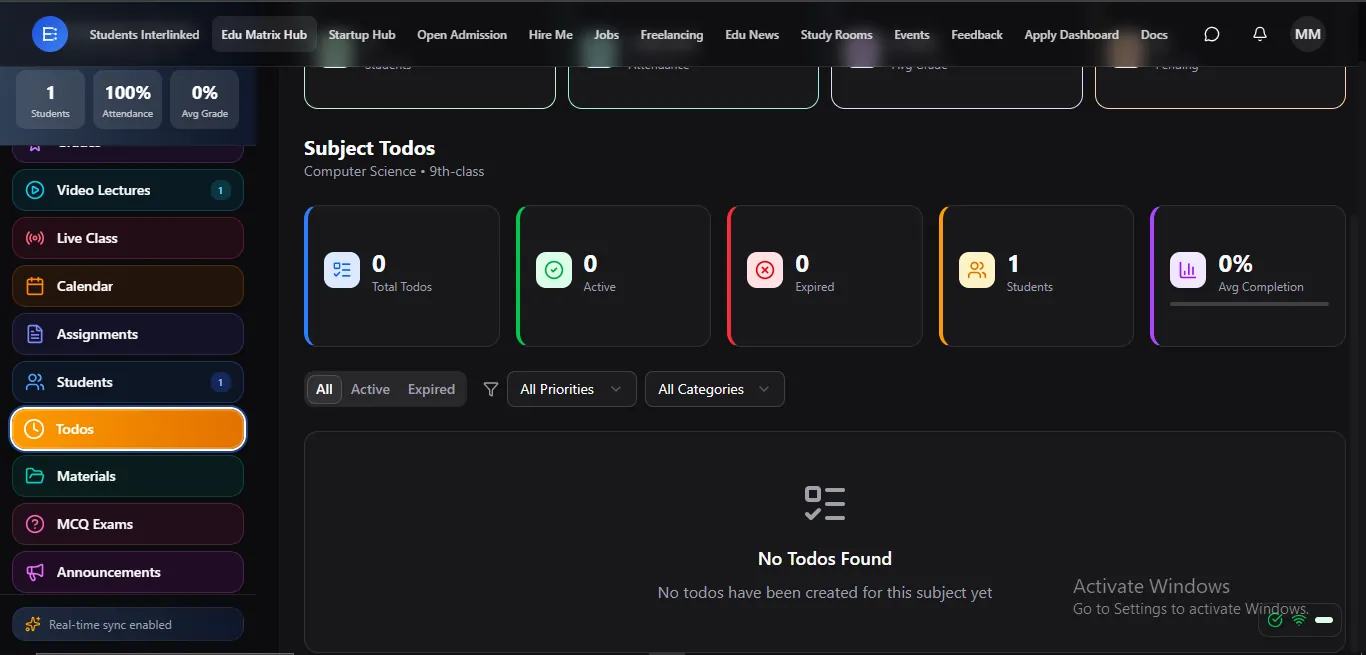
OpenDaily to-dos that keep students on track.
Break a subject into clear day-to-day tasks so students always know what to do next. Less overwhelm, steadier progress.
 Open
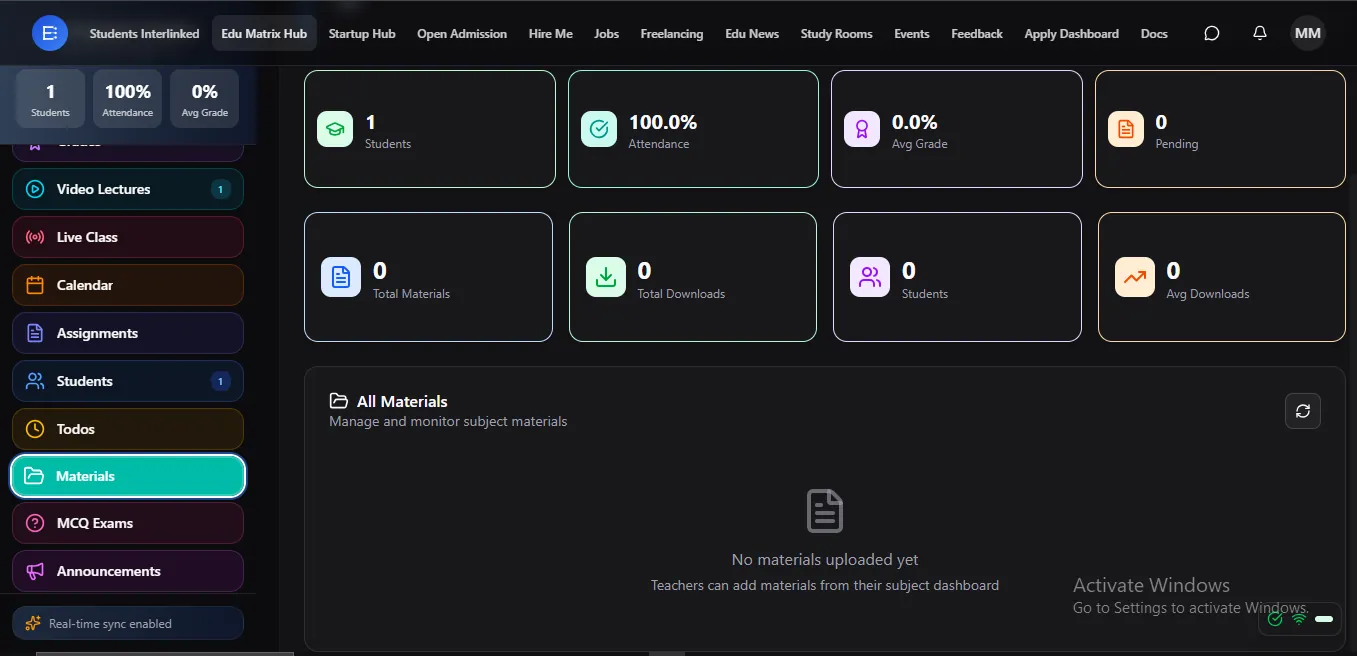
OpenDownloadable notes and resources for every subject.
Share notes, slides, and resources students can download anytime. Everything for the subject lives in one place — no lost handouts, no group-chat hunting.
 Open
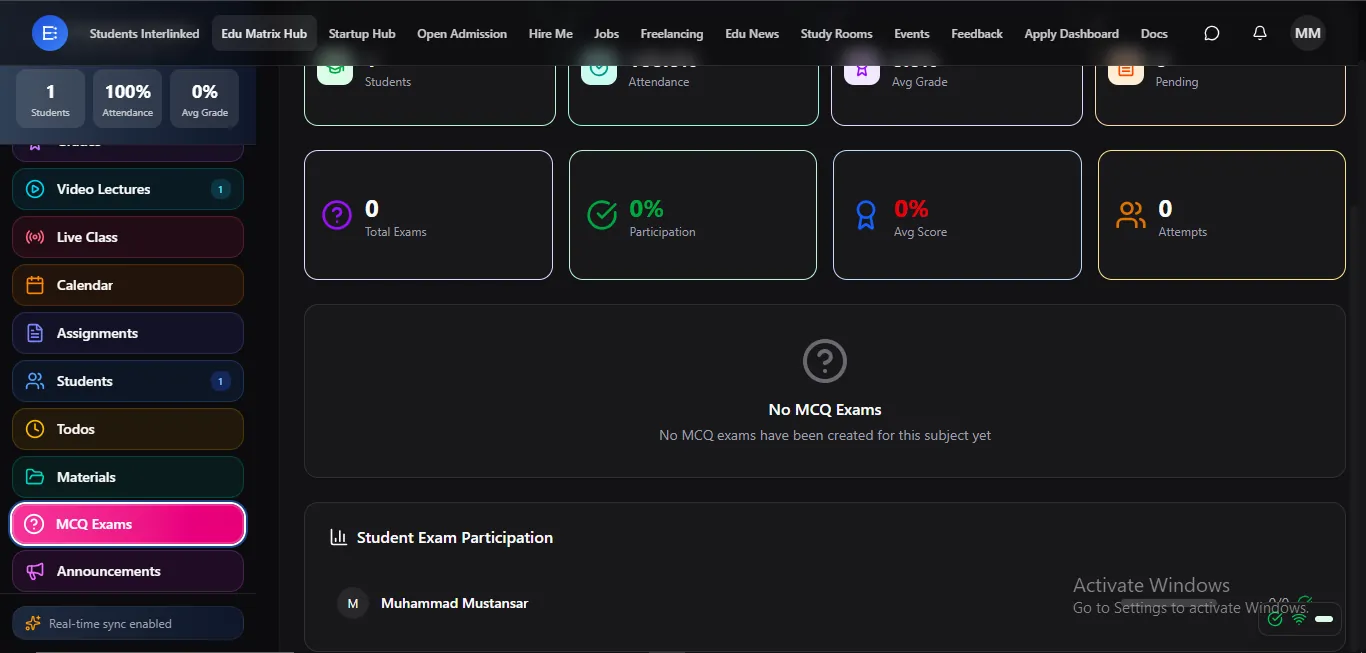
OpenTimed online exams, auto-graded with instant results.
Create timed multiple-choice exams that grade themselves the second a student submits — instant scores for them, instant insight for you. No marking pile, no waiting.
 Open
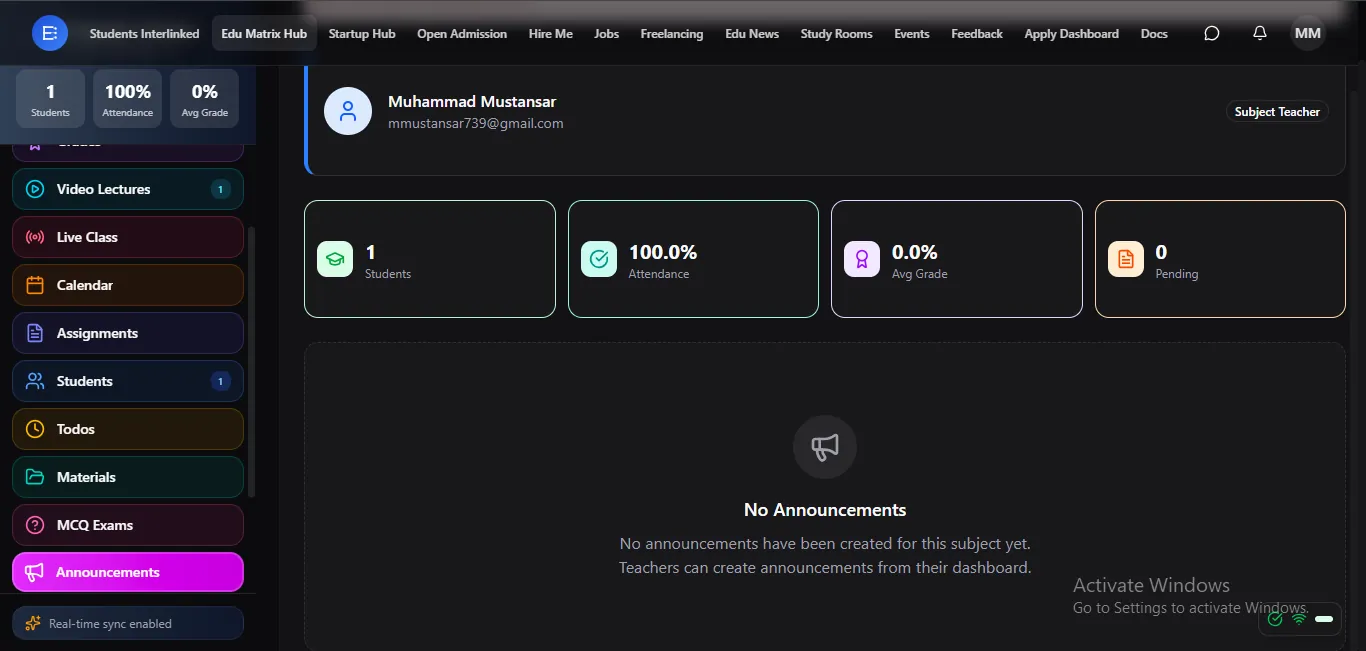
OpenSubject announcements reach everyone instantly.
Post a note to a subject and every student — and their parents — get it right away. Keep a class aligned without chasing anyone.
 Open
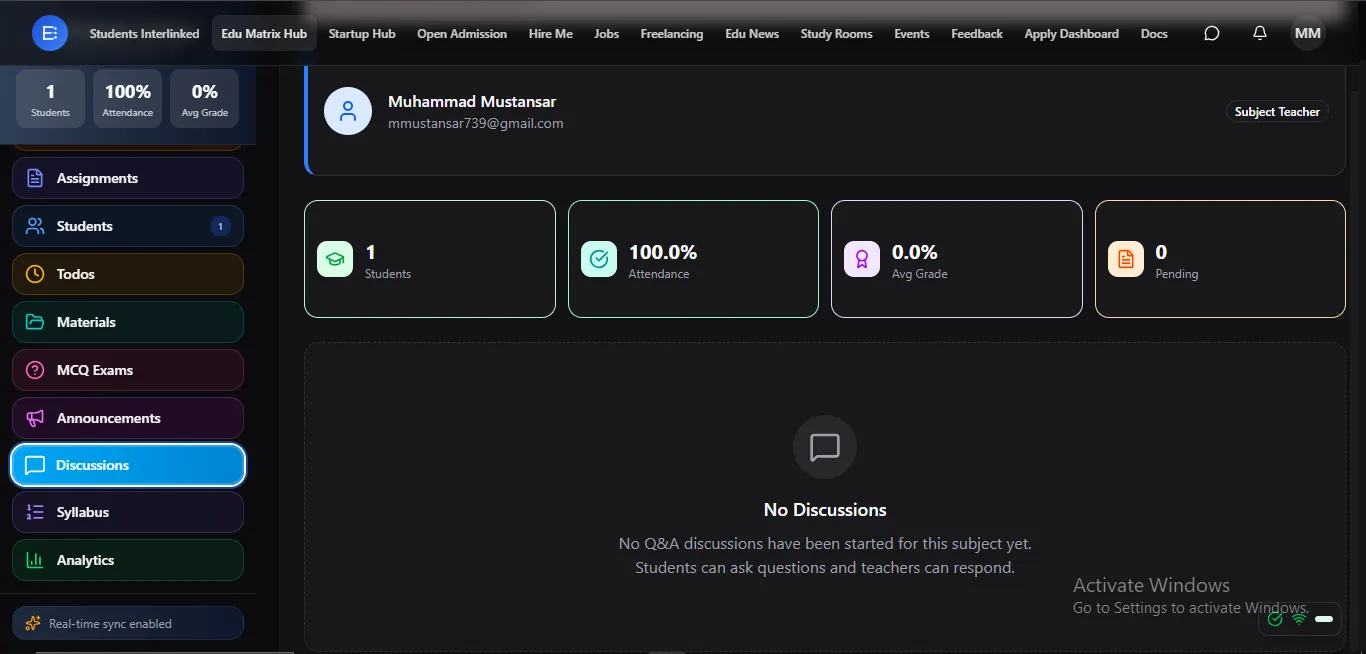
OpenA Q&A forum where learning continues after class.
Students ask questions, classmates and teachers answer, and the whole class learns from the discussion. Doubts get cleared even outside class hours.
 Open
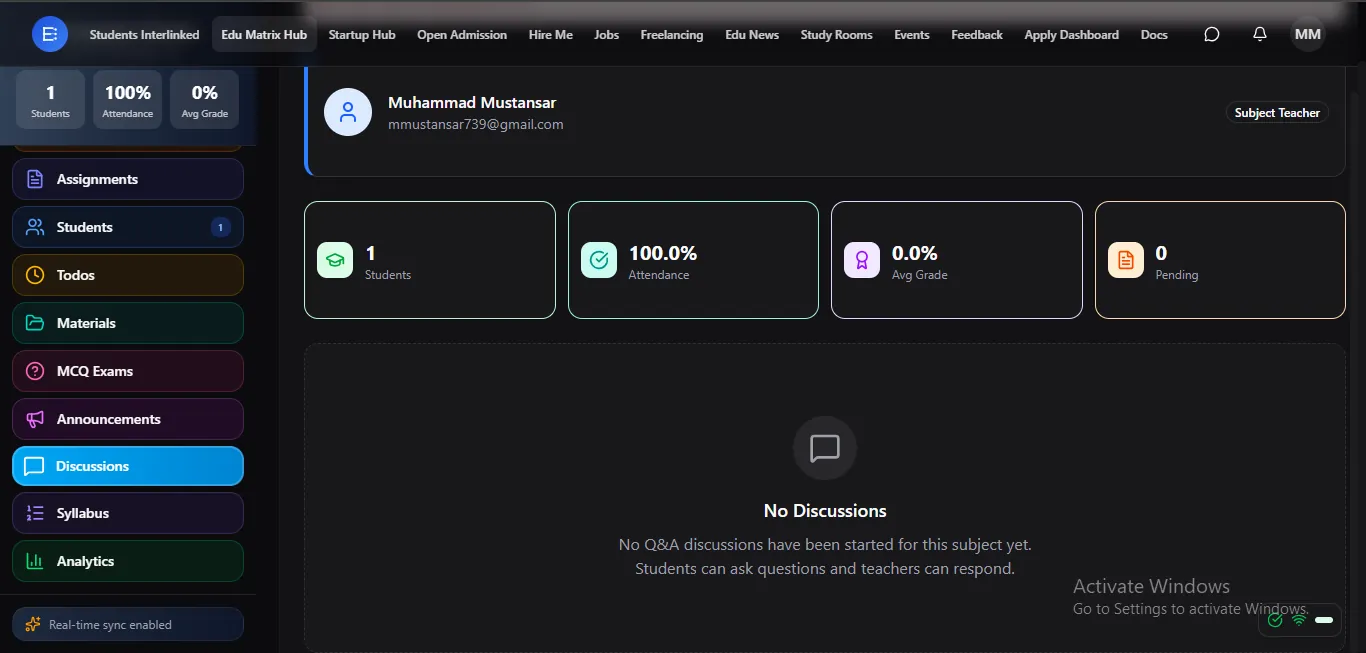
OpenThe full subject roadmap, open to students and parents.
Lay out exactly what the subject covers, start to finish, so students and parents can see the plan and follow along. Everyone knows where the class is headed.
 Open
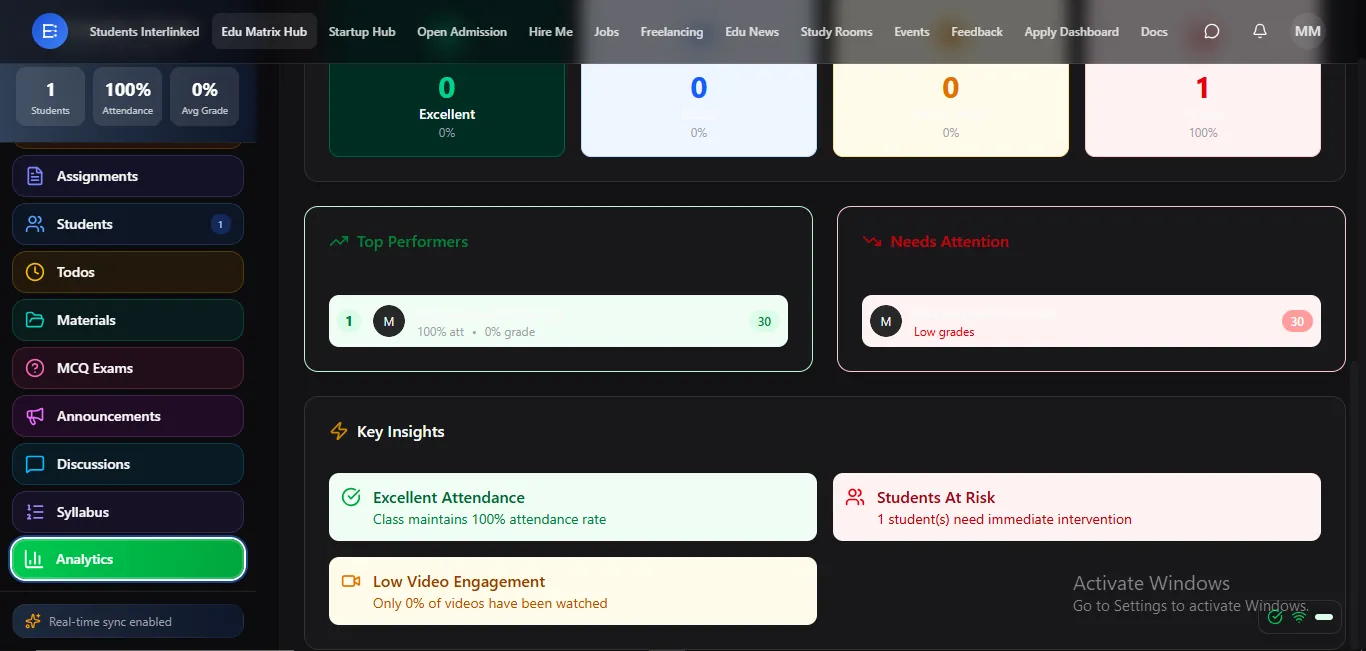
OpenClear performance insights for teachers, admins, and parents.
Turn attendance, grades, and activity into simple insights that show who's thriving and who needs help. Spot problems early, while there's still time to act.
 Open
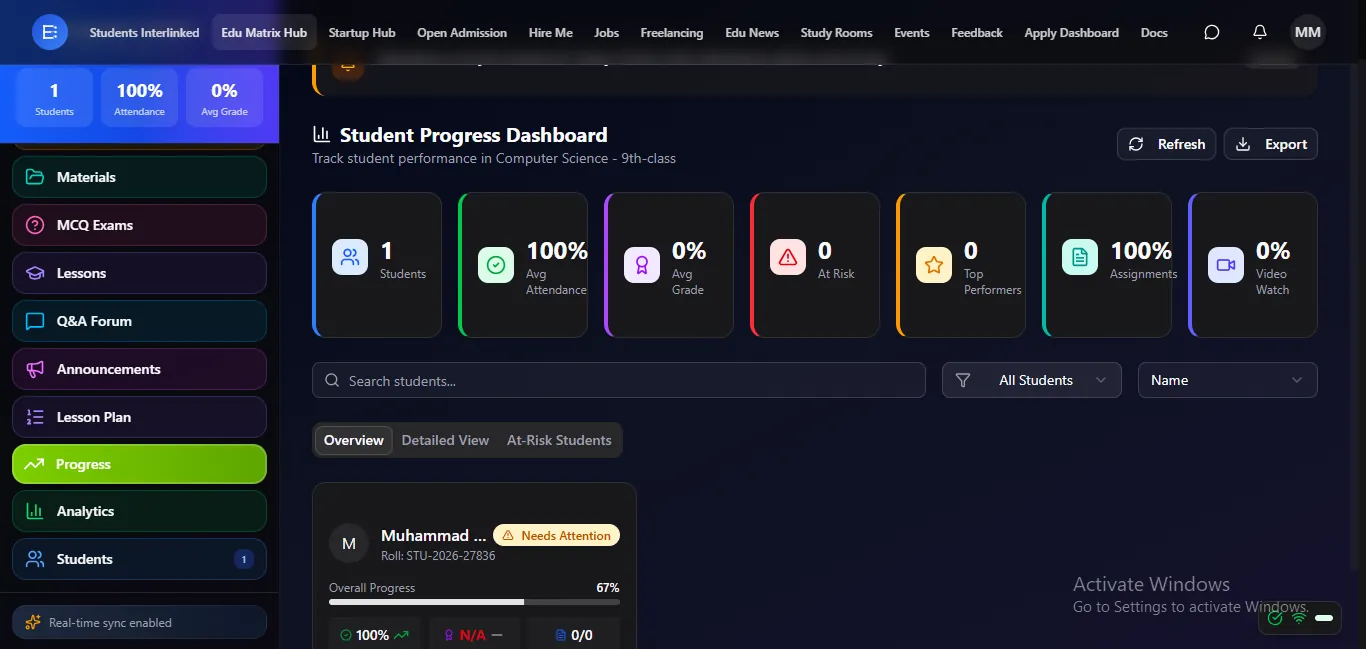
OpenEvery student watches their own growth, subject by subject.
Students see their progress build over time in each subject — a motivating, honest picture of how far they've come. Growth they can actually see keeps them going.
Mark it once. Everyone sees it. Get your evenings back.
Stop doing the same work three times. The teachers who went digital reach every student and parent in seconds — and stopped spending nights re-typing marks.
Give every subject a complete classroom
Live classes, recorded lectures, auto-graded exams, and live grades — subject by subject, for free for teachers and students.
Teachers & lecturers also search for
- free app to mark attendance
- how to post grades online for students
- app to share video lectures with students
- online MCQ test maker free
- how to take online classes for free
- app to message parents
Frequently asked questions
- What does the Advanced LMS include?
- Each subject's LMS includes attendance, grades, lessons, video lectures, live classes, a calendar, assignments, todos, study materials, timed auto-graded MCQ exams, a Q&A forum, syllabus, announcements, analytics, progress tracking, and the class roster — all organised subject by subject.
- Is the LMS the same for every role?
- The LMS is one shared spine that all four dashboards carry, but each role sees it through its own permissions: teachers create and grade, students learn and submit, parents view progress, and admins oversee — all on the same subject view, live.
- Are exams graded automatically?
- Yes. MCQ exams are timed and auto-graded, so students get instant results and grades appear live to students and parents the moment they post.
- Is there a free app to mark attendance and post grades?
- Yes. On Edu Matrix Hub teachers mark subject-wise attendance and post grades for free, and the moment you do, students, parents, and admin see it instantly — no re-typing into separate registers or reports.
- How can I share video lectures and take online classes?
- Each subject has its own LMS where you upload video lectures students watch anytime with watch-progress, and run live online classes in the browser with no extra app to install.
- Can I create online MCQ exams that grade themselves?
- Yes. You create timed MCQ exams that are auto-graded, so students get instant results and their grades appear live to students and parents the moment they post.
- How do I reach students and their parents quickly?
- Post a notice once and it reaches your students and their parents in seconds, and you can message students and parents directly — all from your teacher dashboard, across every institution you teach at from one account.